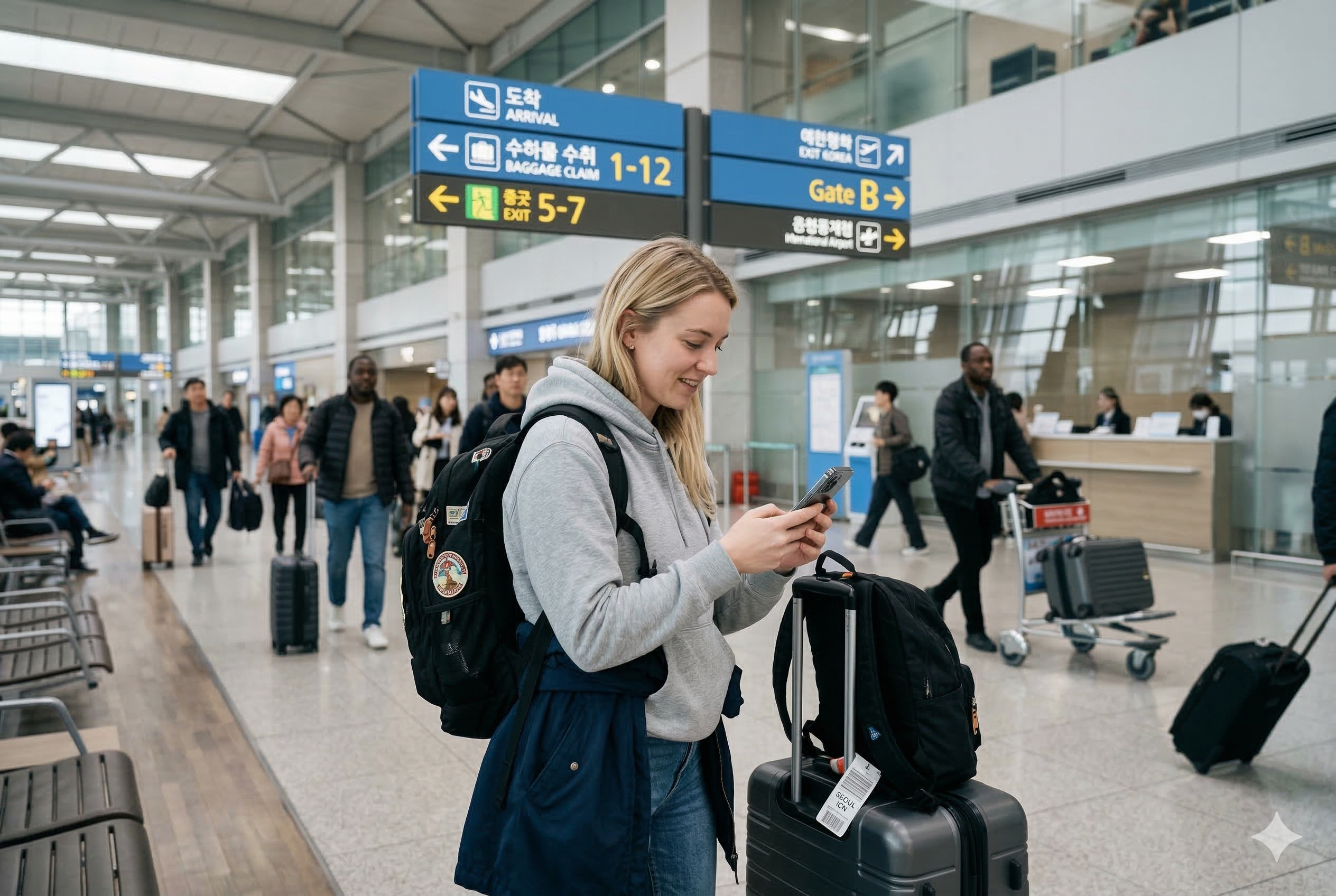
Before buying a Korea eSIM, check three things: your exact phone model is supported, it is unlocked for another carrier, and the plan includes the calls or texts you actually need. At Incheon Airport, finish installation and test mobile data before leaving the roaming counter.
This guide compares two direct-carrier options with published information checked on October 21, 2026. It is a setup and buying guide, not a hands-on speed test or a claim that one carrier is fastest.
Check the phone before paying
- Carrier lock: on iPhone, check Settings → General → About → Carrier Lock. Apple says “No SIM restrictions” indicates an unlocked phone. If locked, ask your home carrier about unlocking before buying another carrier’s plan.
- Exact model: a phone family name is not enough. Ask the Korean provider to check the model and purchase region against its own compatibility rules.
- Refund conditions: read them before purchase. A QR code cannot add eSIM support to an incompatible handset.
Apple’s international eSIM guidance explains the unlocked-phone requirement. LG U+ currently flags Google Pixel, Motorola and OPPO devices as unsupported for its eSIM product, even though some of those phones support eSIM generally. Check the provider’s current compatibility notice rather than relying only on an EID appearing in settings.
Two official Korea eSIM options to compare
The amounts below are the published standard data-plan prices, not a guarantee of the final checkout price. Online discounts, network-speed options and voice bundles can change the total. Compare the same duration and service type.
| Direct provider | 3 days | 5 days | Check before buying |
|---|---|---|---|
| KT tourist eSIM | ₩18,000 | ₩27,500 | Discounted online price, voice option, entry verification and when your validity starts. |
| LG U+ data eSIM | ₩18,000 | ₩27,500 | LTE/5G selection, exact device support and whether you need Data + Voice instead. |
KT’s official SIM/eSIM guide says voice and SMS require completed identity/entry verification; outgoing use depends on voice credit. LG U+ says its data plan’s period begins with first data use and activation must occur within 60 days of purchase. Follow the instructions for the product you actually buy; do not assume all eSIMs start their countdown at the same event.
Data, a phone number and identity verification are different features
Maps and messaging apps need internet access. A restaurant calling your Korean number needs incoming voice service. Calling a clinic yourself needs outgoing voice. A website asking for a carrier-based identity check may require something different again.
LG U+ distinguishes app SMS verification on eligible voice/SMS service from banking or government identity verification, which it does not support. Its data-only option should not be purchased on the assumption that app SMS verification will work. Before paying, show staff the exact app or task you need. See our guide to tourist Korean phone numbers and verification.
Where to get help at Incheon Airport
KT’s published airport-center guide lists the following arrival-level locations. Check the airport display on the day, especially if you arrive overnight.
| Terminal | KT location | Published opening hours |
|---|---|---|
| Terminal 1 | 1F, near Arrival Hall F, opposite Exit 13 | 24 hours |
| Terminal 1 | 1F, near Arrival Hall A, opposite Exit 2 | 06:00–22:00 |
| Terminal 2 | 1F, near Arrival Hall A, opposite Exit 4 | 24 hours |
Sources: KT’s airport roaming-center directory and Incheon Airport’s service directory. These are counter locations, not a promise that staff can fix a product sold by an unrelated reseller.
Bring your passport, phone, purchase confirmation and QR details if you already ordered. Ask staff to confirm compatibility and the exact expiry time. Keep the QR code private; it is installation information, not a screenshot to post in a travel group.
Install and test before leaving arrivals
1. Have the plan and installation instructions ready
Connect to working Wi-Fi. Open the carrier’s confirmation and follow its installation timing. If the QR code is on the same phone, use the provider’s supported link, saved-code method or manual details; otherwise display it on another device. Ask counter staff for help if you cannot access the code.
2. Add the travel eSIM
On iPhone, the usual route is Settings → Cellular → Add eSIM → Use QR Code, then the on-screen instructions. Menu wording can vary. Apple’s current eSIM setup guide also covers carrier links and other activation methods.
On a compatible Samsung phone, look for Settings → Connections → SIM manager and the option to add an eSIM, as shown in Samsung’s eSIM instructions. Use the carrier’s QR instructions for your model. Do not assume every Android phone uses the same menu or supports the same local product.
3. Select the correct data line
Give the travel line an obvious label, such as “Korea,” and select it for mobile data. Follow the provider’s instructions for data roaming and APN settings; there is no single APN that works for every Korean or reseller plan. Review the home line’s roaming settings and charges before leaving it enabled for calls or messages.
4. Test with Wi-Fi off
- Turn off Wi-Fi temporarily so the test uses mobile data.
- Load a fresh web page, then search your hotel address in a map app.
- If you bought calling or SMS capability, ask staff to confirm registration is complete and how to test it. Do not call an emergency number as a test.
- Save the provider’s support contact, order reference and plan expiry before walking away.
The map search is a useful real-world check because it is the next task many visitors need. Our Korean map-app guide can help with the address; the Incheon-to-Seoul transport guide covers the onward journey.
Installed, but mobile data does not work?
First confirm that the eSIM is enabled and selected for data, the plan is valid, and any required registration is complete. Read the exact error message. Ask the seller or counter to check its required network, roaming and APN settings before changing several settings at once.
Do not delete the installed eSIM as a first troubleshooting step. KT warns that a new QR code is not provided after deletion; LG U+ also restricts restoration or reissue after installation. Keep the profile and contact the provider with the error and order reference.
If the issue cannot be resolved before departure from the airport, arrange a confirmed backup connection or save the hotel address and transport details offline. Do not buy a second plan until you know whether the problem is the first product, a carrier lock or an unsupported device.
Reviewed by KLOGUE Editor · October 21, 2026. Official references are linked beside the relevant information. Recheck time-sensitive details with the service provider before travelling.