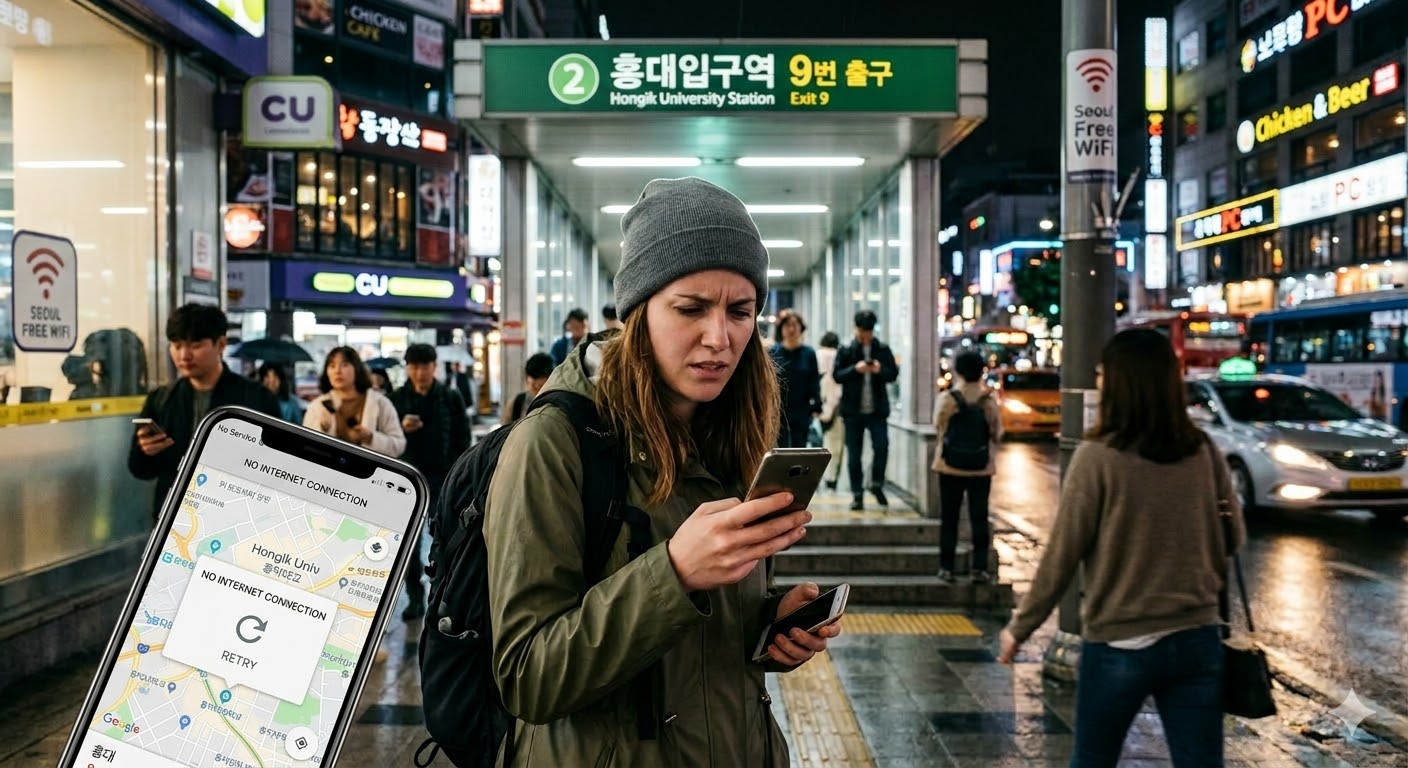
Lose your data near a station exit in Korea and the problem changes fast. It stops being a phone issue and becomes a route issue: you still need the hotel address, the right exit, one useful message, and enough battery to reach an indoor place that helps more than the pavement outside.
Low power mode, low brightness, no app loop.
Screenshot the map, station name, and exit number.
The hotel name helps less than the full address.
Station, exit, battery, and next move — nothing more.
Data failure in Korea usually feels worse outside than it really is. That happens because the most stressful version of the problem often shows up in the most inconvenient place: right outside a station exit, in front of a crosswalk, with luggage in one hand and a weak battery in the other. The fix is rarely to keep refreshing the same frozen screen. The fix is to stop the damage, secure the information that still matters, and move to the place that gives you the best chance of getting through the next hour cleanly.
This guide is about recovery, not shopping. If your data stops working in Korea, the immediate problem is not which plan to buy. The immediate problem is how to get your route back, keep the phone alive, and reach a stable indoor place without wasting the last useful part of your battery.
Before you try to fix the phone
The worst first move is trying to recover everything at once. Travelers often reopen the map, restart the chat app, reload the booking, test Wi-Fi, open translation, and switch between apps in a loop. That feels active, but it usually does three bad things at the same time: it drains battery, it increases stress, and it still does not answer the one question that matters most right now — where do you go next?
Start with battery, not settings
Once the phone drops below roughly 15 percent, the situation changes. You are no longer managing a connection issue alone. You are managing a countdown. Turn on low power mode, drop screen brightness, and stop reopening the same apps. A half-working connection can still get you to the hotel. A dead phone cannot.
Lock down the exact location
If the map opens even briefly, screenshot it immediately. Save the station name. If you are already outside, note the exit number too. In Seoul, exit numbers are often more useful than travelers expect because they narrow your position to one side of a large station, one cluster of landmarks, and one direction of walking.
Exit numbers matter because many large stations spread across a wide footprint. Saying you are near a station can still leave you on the wrong block or the wrong side of a main road. Saying you are at a specific exit is usually much more useful for meeting someone, finding the right hotel entrance, or checking whether you are about to walk in the wrong direction.
Save the address, not just the place name
This is one of the most common failure points for foreign travelers in Korea. The English name of a hotel or guesthouse is often much less useful than the full address. A taxi driver, hotel front desk, or person trying to help you on the street can do more with an address than with a booking title. If the booking page is still loading, screenshot the address before you do anything else.
Once the location and address are safe, use whatever message window you still have for one short update. Do not write a long explanation. Do not catch up on multiple chats. Send one useful line: where you are, which exit you are near, whether the battery is getting critical, and what you are doing next. That is the kind of message most likely to go through on a weak connection, and it gives the other person enough information to help if they need to.
What not to do in the first few minutes
- Do not keep switching between multiple map apps.
- Do not spend the last battery on background chats and social apps.
- Do not try to diagnose the full telecom problem outside.
- Do not leave a stable indoor place too early just because the signal flickered back once.
Pick the right recovery spot, not just the nearest Wi-Fi
“Find Wi-Fi” sounds useful, but it is too vague to guide a real decision. What you actually need is a place where you can stop safely, think clearly, charge if necessary, and get enough connection to move again. That is why the best recovery spot depends less on the signal itself and more on what the place lets you do.
If you are still at Incheon Airport, that is the easiest place to recover from a data problem. You are indoors, the pressure to move is lower than it feels, and the environment is built for people who have just arrived and still need to sort out the next part of the trip. If the phone starts failing before you have even left the airport, it usually makes more sense to reset the situation there than to hope it gets easier once you are in the city.
The opposite is usually true on the pavement outside a busy station exit. Outside, everything pushes you toward bad decisions: traffic lights, noise, luggage, weather, people behind you, and the feeling that you should keep walking even if you do not yet know where you are going. Going indoors is often the better move not because the signal is magically better, but because the environment is better. Indoors, you can stop making rushed decisions and start using the next connection window properly.
Why a café helps more than a convenience store
A café gives you a seat, a few uninterrupted minutes, and a better chance to compare routes or pull up a booking calmly. A convenience store is better for a short tactical stop: buying a cable, a drink, or a power bank. If the problem needs fifteen minutes of attention, those two places are not interchangeable.
Why hotel lobbies are so useful
Hotel lobbies remove multiple moving parts at once. You have reached the correct building, the front desk can confirm details, and hotel Wi-Fi is usually more useful than trying to force street-level public Wi-Fi to behave while you are still walking in circles.
When you get even a short connection window
A recovered connection is not the same thing as a stable connection. Treat it like a short window and use it in order. Most travelers lose this window by opening too many apps too fast or by using it on the wrong tasks.
Open the map and get the next usable route. Screenshot it. Then send one short update to the one person or place that matters. After that, save the destination detail that affects the next hour — usually the hotel address, airport bus stop, or rail detail you still need. Translation is useful only after the route is already stable enough to follow.
Translation tends to get opened too early. It feels helpful because it promises to solve communication, but communication is rarely the first broken part of the night. Route stability is. If you still do not know your next move, translation is a distraction. Once you have the route, the translation app becomes useful for confirming an exit, asking about the right building, or showing a short sentence to staff.
Use the connection window for these tasks only
- Save the hotel address or destination detail offline.
- Screenshot the route or station exit information.
- Send one short status message.
- Check one booking that affects the next hour.
Skip photo sync, app updates, long chats, and anything that is not helping you get through tonight.
Low battery changes the order
Bad data on its own is manageable. Bad data with a phone already near empty is the version that turns a frustrating delay into a difficult night. Once both problems hit together, battery is no longer a separate issue. It becomes part of the navigation decision.
Travelers lose a lot of time here because they keep trying to fix the connection in place. What would actually help more is moving toward a seat, an outlet, and a place where the next ten minutes can be spent once instead of five times. If you are under around 10 to 15 percent, the better stop is often the place with power, not the place with the strongest signal.
The battery-drain loop to avoid
Open the map. Close it. Try another map. Reopen the booking. Turn Wi-Fi on and off. Open translation. Check messages. Reopen the map. That loop feels productive, but it usually drains the phone faster than it improves the situation. If you catch yourself doing this, stop and change location instead of changing apps again.
Public Wi-Fi helps most when you use it for one short job
Public Wi-Fi in Korea can be very useful during a data failure, but it works best when you treat it as a short bridge rather than as something you can lean on for the rest of the day. The goal is not to stand in one place waiting for public Wi-Fi to become perfect. The goal is to use it for a specific task, finish that task, and move.
Good use of public Wi-Fi
- Load the map once
- Send one useful message
- Pull up the hotel address
- Screenshot the next route
Bad use of public Wi-Fi
- Waiting for a perfect connection
- Opening multiple heavy apps
- Starting uploads or updates
- Trying to fix the whole trip at once
At the airport, Wi-Fi and charging make a full reset realistic. In the city, public Wi-Fi is more useful when you already know what you need from it. Connect, save the address, screenshot the route, send one message, then move. That sequence is much more useful than standing outside hoping the connection will suddenly turn into a full mobile-data replacement.
One reason public Wi-Fi can feel less helpful than expected is that the phone often starts doing extra work the second it reconnects. Messages refresh, photos try to sync, accounts wake up, and background activity competes with what you are trying to do. If the connection feels slow, act fast on the one task that matters rather than waiting for the whole phone to settle down.
Korean search terms worth saving
If you get even a weak signal, short search terms usually work better than full sentences. You are not trying to write perfect Korean in that moment. You are trying to get one useful result before the connection fades again.
Short lines to show staff
In this situation, short and specific works better than detailed and polite. If your phone still has enough screen power to show a sentence, that is often enough.
“My data stopped working.”
“Can I use Wi-Fi here?”
“Can I charge my phone for a few minutes?”
“I need to get to this hotel.” (show the address)
“Could you help me find this address?”
“My map isn’t loading.”
“I’m near this station exit.”
“My battery is very low.”
What has to be solved tonight, and what can wait
Many travelers get stuck because they try to solve the wrong problem at the wrong time. Tonight is about movement. Tomorrow is about diagnosis. Mixing those two usually wastes the last useful part of the battery without making the night any safer.
Tonight
- Save the hotel address somewhere offline.
- Get one workable route to the next indoor stop.
- Send one short message to the person or place that matters.
- Keep enough battery to arrive.
Tomorrow
- Check whether the eSIM or roaming setup needs attention.
- Review the account or data balance if needed.
- Download offline backups so the same failure hurts less next time.
- Deal with the full telecom issue once you are seated, charged, and stable.
This separation matters because the street is a bad place for technical diagnosis. It is noisy, rushed, and battery-expensive. A hotel room, a hotel lobby, the airport, or a café table is much better for checking settings and deciding what went wrong. The street is only for getting yourself to the next stable place.
If you have four things — the address, one working route, one sent message, and enough battery to reach the next indoor stop — you have already handled the part that matters most for that night.
When it makes sense to get human help
Some travelers wait too long before asking for help because the problem still feels like a phone issue. Once it affects your route, your arrival, or your ability to explain where you need to go, it is already a travel problem as well.
If you can get even a weak connection, 1330 is worth remembering. If you are still at Incheon Airport, airport information points are also useful because they can help when the problem is no longer just “my data is acting strange” and has become “I need to get somewhere and the next part of the trip is not clear.”
Hotel front desks are also more useful than many travelers realize. Even before check-in, the front desk can help you confirm the address, point out the correct entrance, explain the nearest station or exit, and get you onto hotel Wi-Fi. Once you are in the right building, you stop spending battery on finding the building.
Ask for help sooner if the problem is affecting one of these: the hotel arrival, the route to the next stop, the ability to identify the correct exit, or the ability to show the destination clearly.
The pattern that wastes the most time
Most bad outcomes come from the same stack of mistakes. You are still outside. The destination was never saved properly. The battery is falling. Instead of fixing those three things, you keep trying to repair the whole phone on the pavement. That is when the same ten minutes get spent three times.
The cleaner move is almost always simpler than it feels in the moment: save what you still can, go indoors, use one short connection window well, and stop trying to solve tomorrow’s technical problem while tonight’s route is still unfinished.
In practical terms, this night is back under control once the phone can do four jobs again: show the address, show the next route, send one useful message, and stay alive long enough to get you to the next stable stop.