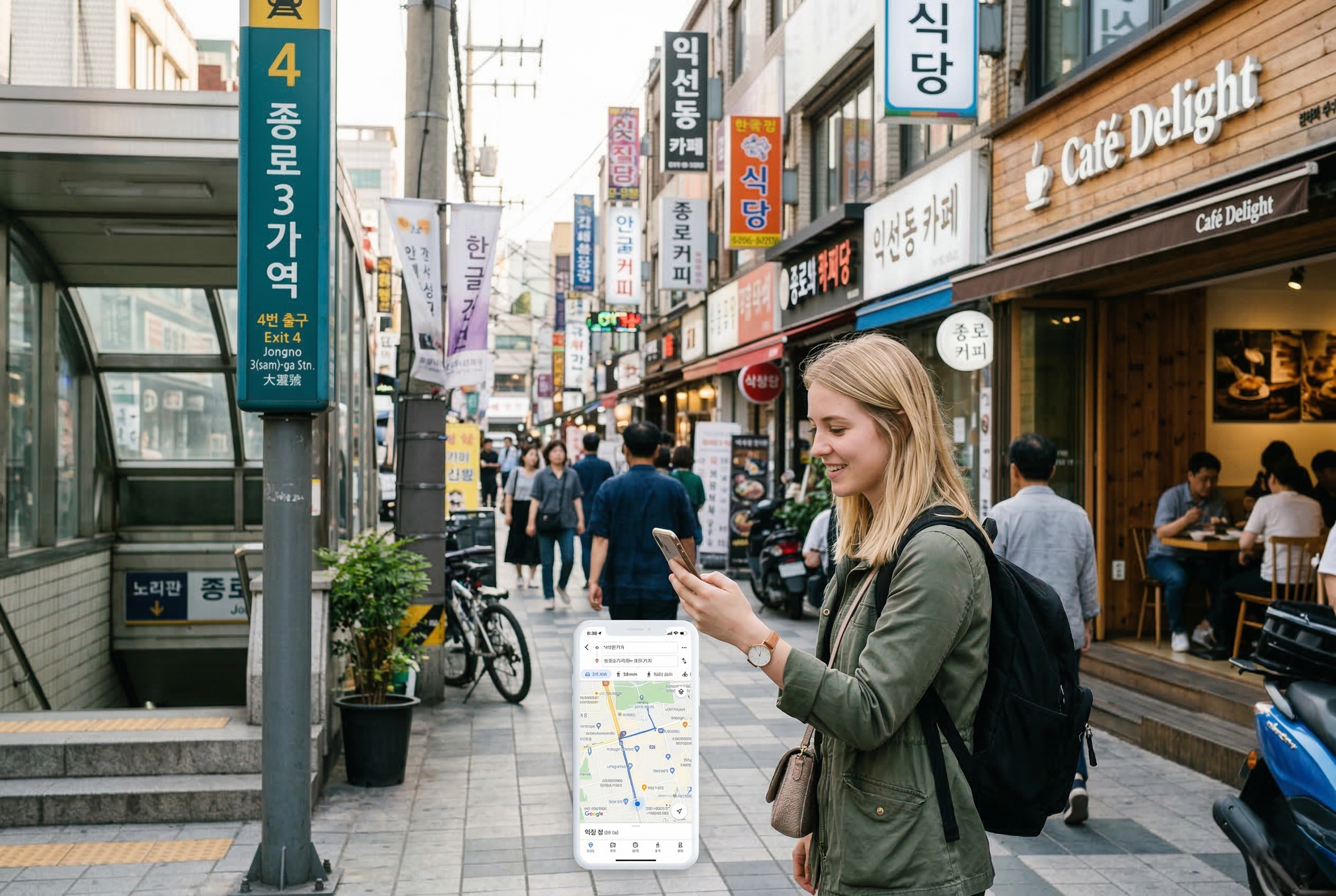
Most travelers come to Korea expecting Google Maps to work the same way it does in cities like Tokyo, Paris, or New York. Then they run into problems almost immediately.
A restaurant doesn’t show up the way they expected. A cafe looks close, but the walking route feels confusing once they leave the station. A place that looked easy to reach on the map turns out to be on the other side of a major road, inside a basement level, or hidden in a small building with no obvious entrance.
This is one of the most common travel mistakes in Korea. It’s not that Google Maps is useless. It’s that many foreign visitors rely on it too much, too early, and without understanding how local map apps are actually used in Korea.
If you want to get around more smoothly, find places with less stress, and avoid wasting time in areas like Seoul or Busan, you need to understand how Korean map apps actually work.
This guide explains when to use Google Maps, when to switch to Naver Map or KakaoMap, how to search more effectively, and what foreign travelers usually get wrong.
| App | Best for | Main limitation |
|---|---|---|
| Google Maps | Broad planning, saved lists, big-picture area checks | Less practical when you need exact local search and real-time movement |
| Naver Map | Local place search, nearby businesses, practical navigation | May take a little adjustment if you only used Google Maps before |
| KakaoMap | Second local check, neighborhood comparison, backup search option | Not always necessary if one local app already works well for you |
If you only remember one thing
Use Google Maps to plan Korea. Use Naver Map or KakaoMap to actually move through it once you’re on the ground.
Why map apps matter more in Korea than many travelers expect
In some countries, a map app is just a convenience. In Korea, it can shape your entire day.
It affects whether you find the right subway exit. It affects whether you walk ten extra minutes for no reason. It affects whether you can tell if a restaurant is really next to your hotel or just looks close on the screen. It can even affect whether you make it to a reservation on time.
This matters even more if your trip is built around practical decisions rather than famous landmarks. If you’re looking for cafes, smaller restaurants, local shopping streets, neighborhoods like Seongsu or Mangwon, or a place that someone recommended in a Reel or a blog post, your choice of map app starts to matter a lot.
Many first-time visitors don’t realize this until they’re already standing outside a subway station, tired, hungry, and not sure which direction to walk.
What usually goes wrong
The problem is usually not finding the district. The problem is finding the exact place, the correct exit, and the real entrance without wasting time.
When travelers usually realize Google Maps is not enough
When leaving a subway station
A district can seem straightforward until you come up from the station and find yourself facing several exits, multiple roads, and building entrances that all look similar.
A place may be “three minutes away” on paper, but if you take the wrong exit or head in the wrong direction first, those three minutes can turn into ten or fifteen.
When looking for a restaurant from social media
A lot of people save places from Instagram, TikTok, YouTube, or blogs. The post makes it look simple. Then they arrive and find that the place name is spelled differently in the app, the entrance is hard to spot, or the location is tucked inside a small building with no obvious signage.
When trying to decide between several nearby places
This is very common in Korea. You’re hungry, there are plenty of businesses close together, and you want to make a decision quickly. If your map app doesn’t give you a clear read on the area, you end up wasting time switching between review tabs and guessing from street view.
When trying to reach a reservation or timed activity
If you’ve booked a beauty appointment, a pop-up event, a class, or a restaurant slot, getting the location wrong becomes more costly. Now it’s not just inconvenient. It can actually make you late.
| Situation | Best choice | Why |
|---|---|---|
| Planning your trip before arrival | Google Maps | Better for broad area planning and saved lists |
| Finding the exact place after arrival | Naver Map or KakaoMap | More practical for local search and on-the-ground decisions |
| Comparing nearby cafes or restaurants | Naver Map or KakaoMap | Helps you understand dense neighborhoods more realistically |
| Checking the overall shape of a district | Google Maps | Useful for broad orientation before street-level decisions |
| When one result looks wrong or unclear | Open a second local app | Quick comparison often clears up confusion |
Why Google Maps can feel frustrating in Korea
Google Maps is still useful in Korea, but it’s usually better as a support tool than as your only tool.
That distinction matters.
A lot of travelers think the real question is, “Does Google Maps work in Korea?” The more useful question is, “What should I use Google Maps for, and what should I stop expecting it to do well?”
Google Maps is still useful for:
- saving places before your trip
- looking at broad neighborhood layout
- checking basic reviews and photos
- getting a general sense of where districts are
- building a rough travel plan before arrival
That means it’s often most valuable at the planning stage.
But once you’re actually in Korea and trying to make practical decisions in real time, many visitors find that local map apps work better for everyday movement and place searches.
That’s where the frustration usually starts. Travelers assume the app that works perfectly at home will guide them through Korea the same way. When it doesn’t, they think they’re using the app incorrectly. In many cases, the bigger issue is simply that they’re using the wrong tool for the wrong job.
The three map apps most foreigners should know
1. Google Maps
Google Maps is best used as your overview app.
Use it when you want to:
- understand where major neighborhoods are
- pin places before your trip
- organize a rough route for the day
- compare travel areas like Hongdae, Myeongdong, Gangnam, Seongsu, or Haeundae
- keep a simple saved list of places from blogs, YouTube, TikTok, or Instagram
This is especially useful before you land in Korea.
For example, if you’re trying to decide whether to stay in Myeongdong or Hongdae, or whether your hotel gives you better access to Seoul Station or Gangnam, Google Maps can still help you get the big picture.
Where it becomes weaker is at street level. Once you’re actually trying to find the exact entrance to a restaurant, figure out where a side street starts, or compare nearby local options in a dense district, many travelers end up switching away from Google Maps.
2. Naver Map
Naver Map is one of the most useful local tools available to visitors in Korea.
For many foreigners, it becomes genuinely valuable the moment the trip shifts from “planning” to “actually navigating.”
It’s especially useful for:
- searching restaurants, cafes, and stores
- checking which places are really close to your current location
- seeing where a business sits within a building or side street
- comparing nearby options in a dense area
- confirming practical directions once you’re already out walking
A lot of visitors describe the difference this way: Google Maps helps them understand the area, but Naver Map helps them actually move through it.
That’s a simple way to think about it, and it holds up in practice.
If you’re in a place like Seongsu, Euljiro, Ikseon-dong, or a busy area around a subway station, the challenge is often not finding the district itself. It’s choosing the exact place, finding the right side of the block, and avoiding a wrong turn. This is where local map apps start to feel noticeably more useful.
3. KakaoMap
KakaoMap is another strong local option, and some travelers prefer it over Naver Map depending on the interface, search experience, or how they like to browse a neighborhood.
It’s useful for:
- checking a second local result when one app feels unclear
- comparing nearby places
- getting another read on the same area
- finding a place that didn’t come up easily in the other app
You don’t need to become an expert in both Naver Map and KakaoMap. But it helps to know that you have more than one local option available.
In real travel situations, that matters more than people expect. If one search result looks off, or a location doesn’t quite match what you were expecting, opening a second app can clear things up in under a minute.
How to search more effectively in Korean map apps
You don’t need to speak Korean to use these apps more effectively. But you do need a better search approach.
Start broad, then narrow
If an exact search isn’t working, start with the neighborhood.
For example:
- search Seongsu first
- then search the cafe or restaurant name
- then look at results around the right block
This is often easier than forcing one exact English phrase over and over.
Keep alternative spellings in mind
Romanization isn’t always consistent. A place might be spelled one way on Instagram and another way in the app. A district or store name may appear with a space, without a space, or under a shorter local nickname.
So “not found” doesn’t always mean “wrong place.” Sometimes it just means “wrong spelling.”
Use local clues from social content
If a cafe, shop, or restaurant was recommended online, check whether the post includes:
- the Korean name
- a Korean address
- the nearest station
- a nearby landmark
Those small details make map searches much easier.
Compare the final result before moving
Once you think you’ve found the right place, cross-check:
- the app result
- the district
- a nearby landmark
- photos if available
If all of those line up, the chance of ending up at the wrong spot drops significantly.
Common mistakes foreigners make with map apps in Korea
1. Searching only in English
This is probably the most common mistake.
Some places search well in English. Others don’t. Some show up under a shortened English name, while others are much easier to find when you search in Korean.
If a place isn’t coming up properly:
- try a shorter version of the name
- remove extra words
- search the district name first, then scan nearby results
- copy the Korean business name from Instagram, the official account, or a review page if you can find it
Many travelers give up too early because they assume the place doesn’t exist in the app. Often the issue is just the search format.
2. Trusting one app too much
A result that feels confusing in one app may look completely obvious in another.
This is why it’s worth comparing. You don’t need to do this for every destination, but if a result feels off, check it in a second app before you start walking.
That one habit can save a lot of time.
3. Looking only at the pin, not the actual context
A map pin is not the full picture.
You still need to ask:
- Is the place across a large road?
- Is it inside a mall or office building?
- Is it on an upper floor or in the basement?
- Is the entrance on the side rather than the front?
In dense Korean neighborhoods, these details matter. A lot of places are close in straight-line distance but awkward to actually reach.
4. Assuming “near the station” means easy to find
“Near the station” is one of the most misleading phrases in practical travel.
A place can be near the station but still be:
- accessible only from one specific exit
- hidden behind another building
- down a side alley
- easy to miss if you don’t already know the area
This is especially true in crowded districts.
5. Not checking the area before leaving
People often save a place and assume that’s enough preparation. Then they walk out of the hotel or station without actually reviewing whether the saved point still makes sense in context.
A better habit is to spend one minute checking:
- the nearest station
- the right exit, if it matters
- nearby landmarks
- whether the place is on a main road or a back street
- whether the route still makes sense after a quick look in a local app
That one minute is usually worth it.
The practical workflow that works best in Korea
Step 1: Use Google Maps before the trip
Save everything you already know:
- restaurants from social media
- neighborhoods you want to explore
- shopping areas
- your hotel
- stations
- attractions
This gives you a solid planning layer to build on.
Step 2: Download at least one Korean map app before or right after arrival
Don’t wait until you’re already lost. Set this up early.
Step 3: Re-check exact places in a local app on the day you go
This matters most for:
- restaurants
- cafes
- salons
- events
- smaller stores
- places inside busy blocks
Step 4: Confirm what you actually need
Do you need:
- the neighborhood?
- the nearest station?
- the right exit?
- the exact store entrance?
- nearby alternatives in case your first choice is closed?
Knowing what you’re trying to confirm makes the search faster and less stressful.
Step 5: Save the final result you trust
Before you head out, save the version that looks most reliable.
That way you’re not forced to search again in the middle of a crowded street.
Which app is best for finding restaurants and hidden spots?
This is where the topic gets more interesting than simple navigation.
Many foreign travelers don’t just want to get from point A to point B. They want to find places that feel more local, less generic, and more worth their limited time in Korea.
That usually means:
- cafes on smaller streets
- restaurants with a strong local following
- shopping areas outside the most obvious tourist path
- places that are easy to miss if you’re only working from a broad tourist map
When your trip shifts from “Where is Myeongdong?” to “Which specific place should I go right now?”, local map apps start to pull ahead.
This is also why map app knowledge connects so naturally to food and local tips. It’s not a separate issue. It’s the tool that makes those choices easier to act on.
You might first download Naver Map or KakaoMap because Google Maps feels limited. But later you realize the bigger advantage is that local map apps help you move from generic sightseeing to practical, confident local decision-making.
Do you need both Naver Map and KakaoMap?
Not necessarily.
For most travelers, one Korean map app plus Google Maps is enough to get around comfortably.
But there are situations where having both local apps is genuinely helpful:
- a place searches poorly in one app
- a route looks strange or unclear
- a neighborhood feels confusing
- you want to double-check before heading out
If you’d rather not install both right away, start with one. If you hit friction during the trip, add the second one then.
The main goal isn’t perfection. It’s reducing confusion in moments when you’re already tired and in an unfamiliar area.
Best setup for first-time visitors
- Google Maps for saved lists and broad trip planning
- Naver Map or KakaoMap for real-time local searching
- screenshots or saved pins for high-priority places
- a quick final check before leaving your hotel each day
This setup is simple enough for most travelers and solid enough to prevent the most common navigation mistakes.
Final takeaway
If you’re visiting Korea for the first time, one of the smartest adjustments you can make is to stop treating Google Maps as your only answer.
Use it for planning. Keep it for broad orientation. But when you need practical search, exact place-finding, and smoother movement through an actual neighborhood, switch to a Korean map app.
Final takeaway in one line
Google Maps helps you plan Korea. Korean map apps help you actually move through it.
That one small change can make a real difference.
It can help you find the right cafe faster, avoid wrong turns near subway exits, compare nearby options more accurately, and move through unfamiliar neighborhoods with a lot less friction.
For many travelers, this is one of those Korea travel tips that doesn’t sound all that important before the trip, but turns out to be incredibly useful once you’re actually there.
If your itinerary includes Seoul or Busan, setting up at least one Korean map app before you go isn’t really optional in practice. It’s one of the easiest ways to start your trip smoothly from day one.